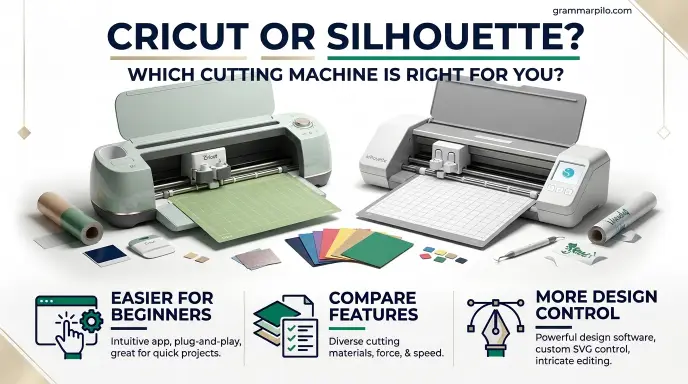
Choosing between Cricut or Silhouette can be difficult if you are buying your first cutting machine.
Both brands make popular electronic cutters that help turn digital designs into real projects. You can use them to create custom T shirts, stickers, greeting cards, labels, decals, home decorations, and personalized gifts.
At first glance, Silhouette and Cricut seem very similar. However, their software, design features, cutting options, and overall workflows have some important differences.
Cricut is often attractive to beginners who want a guided experience, while Silhouette appeals to crafters who prefer more control over their designs and desktop software.
The best choice depends on what you plan to make, how much control you want over your designs, and how comfortable you are learning new software.
This guide compares Cricut and Silhouette in practical areas so you can understand their strengths, limitations, and costs before choosing a machine.
Cricut vs. Silhouette: The Short Answer
Cricut is generally a strong choice for beginners who want easy to follow software, a large collection of ready made projects, and a straightforward crafting experience. Silhouette is worth considering if you want more hands on design control, offline desktop software, and flexibility when creating custom projects.
Both brands can cut popular materials such as adhesive vinyl, iron on vinyl, cardstock, and sticker paper. However, features vary by machine model, so a Cricut Maker should not automatically be compared with an entry level Silhouette Portrait.
| Feature | Cricut | Silhouette |
| Best for | Beginners and guided projects | Custom designs and detailed control |
| Main software | Cricut Design Space | Silhouette Studio |
| Learning experience | Generally easier to start | More features to learn |
| Offline workflow | More limited | Desktop software supports offline work |
| SVG support | Available in Design Space | Depends on the Studio edition |
| Materials | Varies by machine | Varies by machine |
| Popular machine families | Joy, Explore, Maker | Portrait, Cameo |
| Subscription | Optional Cricut Access | Optional software upgrades and paid content |
The simple recommendation: Choose Cricut if you value a beginner friendly workflow. Consider Silhouette if you enjoy designing your own artwork and want greater control over the software experience.
What Is Cricut?
Cricut is a brand of electronic cutting machines designed for creative projects, home crafting, and small business production. Its machines use digital designs to cut materials into specific shapes, letters, patterns, and decorative elements.
You can connect a Cricut machine to compatible computers and mobile devices through its supported connection options. You then prepare your design in Cricut Design Space and send it to the machine.
Cricut offers several machine families for different needs.
Popular Cricut Machine Families
- Cricut Joy: Designed for smaller projects such as labels, cards, and simple decorations.
- Cricut Explore: A versatile option for everyday projects involving vinyl, cardstock, and compatible materials.
- Cricut Maker: A more advanced family designed to support a wider range of materials and specialty tools.
The exact features depend on the model and compatible accessories.
What Can You Make With Cricut?
Cricut machines are useful for many creative projects, including:
- Personalized T shirts and clothing.
- Vinyl stickers and wall decals.
- Greeting cards and invitations.
- Product labels and packaging.
- Paper flowers and scrapbook decorations.
- Custom mugs and gift designs.
- Home decorations and signs.
Cricut is particularly appealing if you want to start crafting without spending too much time learning complicated design software.
What Is Silhouette?
Silhouette is another well known brand of electronic cutting machines used for crafting, personalization, and creative production. Its machines allow users to cut digital designs from materials such as vinyl, cardstock, sticker paper, and other compatible media.
Silhouette’s main design program is called Silhouette Studio. It provides tools for creating, editing, arranging, and preparing designs before sending them to a compatible cutting machine.
The software offers a detailed workspace that can appeal to people who like building their own designs instead of relying mainly on ready made templates.
Popular Silhouette Machine Families
- Silhouette Portrait: A compact machine for smaller crafting projects.
- Silhouette Cameo: A versatile machine family for larger projects and everyday cutting.
- Silhouette specialty machines: Other products and tools serve specific creative applications.
Features differ across generations and models, so check the manufacturer’s compatibility information before buying.
What Can You Make With Silhouette?
Silhouette machines can help create:
- Custom vinyl decals.
- Sticker sheets.
- T shirt designs.
- Paper crafts and greeting cards.
- Labels and product packaging.
- Scrapbook decorations.
- Personalized gifts.
- Detailed lettering and decorative artwork.
Silhouette can be especially attractive to users who want to spend more time developing their own artwork and adjusting design details.
Cricut vs. Silhouette: Design Software
Software is one of the biggest differences between Cricut and Silhouette. Both brands use their own design programs, but the experience is not identical.
Cricut Design Space
Cricut Design Space is the companion software for Cricut cutting machines. It allows users to create projects, add text, arrange images, upload designs, and prepare cutting instructions.
Its interface is designed to guide users through the project process. This can make it easier for beginners who are unfamiliar with electronic cutting machines.
Some useful features include:
- Ready made project designs.
- Text and shape tools.
- Image uploads.
- SVG file support.
- Project preparation and cutting instructions.
- Access to additional fonts, images, and projects through Cricut Access.
The basic software is free. Cricut Access is optional and provides access to additional content and benefits. You do not need a paid subscription simply to own and operate a Cricut machine.
Silhouette Studio
Silhouette Studio is the design software used with Silhouette cutting machines. It offers a desktop workspace with tools for creating and editing designs.
Users can work with text, shapes, lines, patterns, and other design elements. The software also provides more advanced editing options through its different editions.
Important features include:
- Drawing and editing tools.
- Detailed design adjustments.
- Text and shape customization.
- Cutting layout preparation.
- Print and cut workflows.
- Offline desktop use.
One important detail is that SVG importing depends on the Silhouette Studio edition. The free Basic Edition has limitations, while higher editions unlock additional file and design capabilities. Check the current edition comparison before purchasing an upgrade.
Which Software Is Better?
Cricut Design Space is generally easier for someone who wants a simple starting point. Silhouette Studio may be more appealing if you prefer a detailed desktop design environment.
| Software Feature | Cricut Design Space | Silhouette Studio |
| Beginner experience | More guided | Requires more learning |
| Design workspace | Simple and approachable | More detailed |
| SVG importing | Supported | Depends on edition |
| Offline desktop workflow | More limited | Supported |
| Ready made projects | Large content library | Available design resources |
| Advanced editing | Depends on available tools | Strong desktop design options |
Winner: Cricut for simplicity and Silhouette for users who want more control over their design workflow.
Cricut vs. Silhouette: Ease of Use
Ease of use matters if you are buying your first cutting machine. A machine can have excellent features, but a confusing setup process may make crafting frustrating.
Is Cricut Easy for Beginners?
Cricut is often considered beginner friendly because its software provides a guided project workflow. You can select a design, adjust its size, choose compatible material settings, and follow the cutting instructions.
The large community of Cricut users also makes it easier to find tutorials, project ideas, and troubleshooting advice.
However, beginners still need to learn basic crafting skills such as:
- Preparing materials.
- Positioning designs.
- Selecting the correct blade.
- Removing excess vinyl.
- Applying transfer tape.
- Maintaining cutting mats and tools.
Is Silhouette Easy for Beginners?
Silhouette can also be used by beginners, but its software may take longer to understand.
Silhouette Studio provides more design controls, which can be helpful once you become familiar with the interface. However, new users may need extra practice with settings, file preparation, and design adjustments.
This learning curve is not necessarily a disadvantage. It can be worthwhile if you want to develop more advanced crafting skills.
Which Is Easier to Learn?
Cricut is usually the easier starting point for someone who has never used a cutting machine. Silhouette may suit people who already have experience with graphic design or enjoy learning creative software.
Winner: Cricut for most first time users.
Cricut vs. Silhouette: Materials and Cutting Capabilities
The materials you plan to use should influence your decision. Both brands offer machines that can cut common crafting materials, but the supported thickness, tools, and cutting methods vary by model.
Materials Cricut Can Cut
Depending on the machine and compatible tools, Cricut can work with:
- Adhesive vinyl.
- Iron on vinyl.
- Cardstock.
- Sticker paper.
- Fabric.
- Leather.
- Specialty craft materials.
- Selected thicker materials.
The Cricut Maker family is designed for a broader range of materials and compatible specialty tools than smaller entry level models.
Materials Silhouette Can Cut
Silhouette machines also support a range of crafting materials, depending on the model and blade.
Common options include:
- Adhesive vinyl.
- Heat transfer vinyl.
- Cardstock.
- Sticker paper.
- Printable materials.
- Selected fabrics.
- Specialty media.
Some Silhouette machines also support longer roll based cutting workflows, which can be useful for larger decals and signs.
Which Brand Cuts More Materials?
There is no single answer for the entire brand range. A Cricut Maker and a Silhouette Portrait have different capabilities, just as a Cricut Joy and a Silhouette Cameo are designed for different types of projects.
Compare the exact machine’s supported materials, cutting force, blade options, tool compatibility, and maximum material thickness.
Winner: Cricut Maker is worth considering for users who need a broad range of compatible specialty tools. Silhouette Cameo models are strong alternatives for everyday vinyl and paper crafting.
Silhouette vs. Cricut: Design Flexibility and Customization
Design flexibility matters if you want to create original artwork rather than simply cutting ready made designs.
Cricut Design Flexibility
Cricut Design Space lets you upload designs, add text, adjust shapes, and combine different elements into a project.
It is useful for people who want to personalize existing templates or create straightforward designs.
You can also use external design programs to prepare artwork and import compatible files into Design Space.
However, users who want extensive editing controls may find the workflow less flexible than a dedicated desktop design environment.
Silhouette Design Flexibility
Silhouette Studio provides a detailed set of design tools. Users can create artwork, edit shapes, adjust lines, and prepare complex layouts.
This makes it attractive to crafters who want more control over the appearance of their projects.
The available tools depend on the software edition. Some advanced features and file formats require a paid upgrade.
Which Is Better for Custom Designs?
Silhouette is often the more attractive choice for people who enjoy designing from scratch and want detailed control within their cutting software.
Cricut remains useful for custom projects, especially when you prepare artwork in another program and upload it.
Winner: Silhouette for hands on design flexibility, although the exact software edition matters.
Cricut vs. Silhouette: Pricing and Ongoing Costs
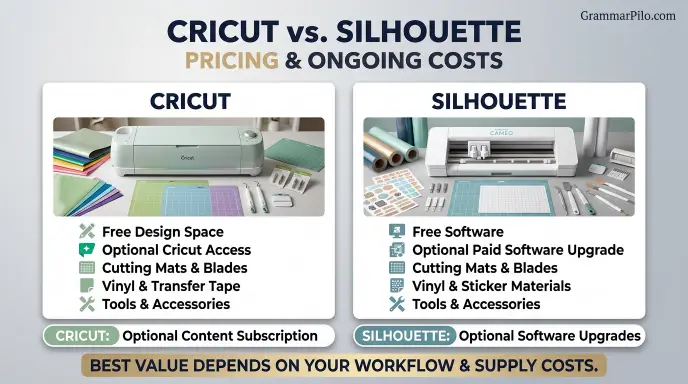
The purchase price is only one part of the cost of owning a cutting machine. You should also consider software upgrades, materials, accessories, replacement blades, and other supplies.
Cricut Costs
Cricut offers a free version of Design Space. You can create projects and use supported uploaded designs without purchasing Cricut Access.
Cricut Access is an optional subscription that provides additional fonts, images, projects, and other benefits. Its current plans and prices can change by region and over time.
Other possible expenses include:
- Cutting mats.
- Replacement blades.
- Vinyl and iron on materials.
- Transfer tape.
- Specialty tools.
- Heat presses and accessories.
Silhouette Costs
Silhouette also offers free software, but some users may need a paid edition to access particular file formats or advanced design tools.
Depending on your workflow, a one time software upgrade may be more suitable than paying for a recurring content subscription.
Additional costs can include:
- Cutting mats.
- Replacement blades.
- Vinyl and sticker materials.
- Specialty tools.
- Software upgrades.
- Accessories for specific machines.
Which Brand Is More Affordable?
Neither brand is automatically cheaper for every user.
Cricut may be more economical if you are happy with its free software and do not need a large library of premium designs.
Silhouette may offer better long term value if its desktop workflow meets your needs and you prefer purchasing a software upgrade instead of subscribing to a content library.
Winner: It depends on your software habits, machine choice, and how frequently you purchase craft supplies.
Cricut vs. Silhouette: Which Is Better for Small Businesses?
Both brands can support small creative businesses. You can use either machine to make personalized products, decorative items, and custom orders.
The right choice depends on your production needs, design workflow, and the materials you use.
Using Cricut for a Small Business
Cricut can be useful for sellers who create:
- Personalized T shirts.
- Custom mugs.
- Gift boxes.
- Party decorations.
- Vinyl decals.
- Labels and stickers.
- Personalized home accessories.
Its guided workflow can make it easier to produce simple projects consistently.
However, consider the machine’s cutting speed, material limits, and production capacity before relying on it for a growing business.
Using Silhouette for a Small Business
Silhouette can be a good fit for businesses that create custom artwork, labels, stickers, and vinyl products.
Its desktop design environment may appeal to sellers who frequently adjust designs or prepare their own files.
Cameo machines can also be useful for projects that require longer cuts, depending on the model and media setup.
Which Is Better for Selling Crafts?
Cricut may suit a small business owner who values a straightforward workflow and creates common personalized products.
Silhouette may suit a seller who wants more control over original designs and prefers desktop software.
Winner: Both are capable options. Your product range and production requirements matter more than the brand name.
Cricut vs. Silhouette: Common Buying Mistakes
Buying a cutting machine without understanding its limitations can lead to unnecessary expenses. Avoid these common mistakes before making your decision.
1. Comparing Brands Instead of Specific Models
Cricut and Silhouette each offer machines with different capabilities.
A compact machine is not designed for the same projects as a full size model. Compare similar machines before deciding which brand offers better value.
2. Assuming Every Machine Cuts Every Material
Not every Silhouette or Cricut model supports every material.
Always check the manufacturer’s material compatibility guide and the required blade or tool.
3. Forgetting About Software Costs
Some users need additional design features or file support.
Check what is included in the free software before buying a machine. This helps you avoid unexpected upgrade costs.
4. Buying a Machine Without Considering Project Size
A small machine may be enough for cards, labels, and small stickers.
However, larger signs, clothing designs, and long vinyl decals may require a wider cutting area or roll feeding capability.
5. Ignoring Device Compatibility
Check if the software works with your computer, tablet, or phone.
Also review the machine’s supported operating systems and connection options. A machine that does not fit your existing setup can make everyday crafting more difficult.
Cricut or Silhouette: Which One Should You Choose?
The best machine depends on your experience, project type, and preferred design workflow.
Choose Cricut If:
- You are new to electronic cutting machines.
- You want an easier software experience.
- You prefer guided project instructions.
- You want to use ready made designs.
- You make cards, labels, shirts, and home decorations.
- You want free SVG importing through Design Space.
Choose Silhouette If:
- You enjoy creating original designs.
- You prefer desktop design software.
- You want an offline software workflow.
- You need detailed editing controls.
- You are comfortable learning a more involved program.
- You want to explore the features of different Silhouette Studio editions.
Which Is Better for Different Projects?
| Project | Recommended Starting Point | Why |
| Beginner crafts | Cricut | Guided workflow |
| Custom vinyl decals | Either | Both offer compatible machines |
| T shirt designs | Either | Both support compatible iron on materials |
| Detailed custom artwork | Silhouette | Detailed desktop design tools |
| Greeting cards | Either | Both support paper crafting |
| Small business products | Either | Depends on production needs |
| Offline desktop designing | Silhouette | Studio supports offline work |
| Broad specialty tool use | Cricut Maker | Wide range of compatible tools |
Quick Comparison Table: Cricut vs. Silhouette
| Comparison | Cricut | Silhouette |
| Main software | Design Space | Silhouette Studio |
| Beginner friendly | Generally yes | Requires more learning |
| Custom design control | Good | Strong desktop editing options |
| Offline workflow | Limited | Supported in desktop software |
| SVG support | Included | Edition dependent |
| Subscription | Optional Cricut Access | Optional upgrades and content |
| Vinyl cutting | Yes, model dependent | Yes, model dependent |
| Paper crafting | Yes | Yes |
| Small business use | Yes | Yes |
| Best known machine family | Explore and Maker | Cameo |
Key Takeaways
- Cricut and Silhouette both make electronic cutting machines for home crafting and small creative businesses.
- Cricut is generally easier for beginners to learn.
- Silhouette Studio offers detailed desktop design tools and offline functionality.
- Cricut Design Space supports SVG uploads without requiring a paid subscription.
- Some Silhouette Studio features, including SVG importing, depend on the software edition.
- Both brands can cut vinyl, cardstock, and other compatible materials.
- Machine capabilities vary, so compare specific models before buying.
- Your projects and preferred software workflow should guide your decision.
Frequently Asked Questions
1. Is Cricut better than Silhouette?
Cricut is often better for beginners who want a guided design experience and an approachable interface. Silhouette may be better for users who want more detailed control over their designs and prefer desktop software. Neither brand is best for every type of crafter.
2. Is Silhouette easier to use than Cricut?
Most beginners find Cricut easier to learn because its software offers a more guided workflow. Silhouette Studio has a more detailed design environment, which can take extra time to understand. However, experienced designers may prefer its additional editing controls.
3. Do Cricut and Silhouette cut the same materials?
Both brands offer machines that cut common materials such as vinyl, cardstock, iron on vinyl, and sticker paper. However, the supported materials depend on the specific machine, blade, and tool. Always check the manufacturer’s compatibility guide before using a material.
4. Do I need a subscription to use Cricut?
No. Cricut Design Space has a free version that lets you create projects and upload compatible designs. Cricut Access is optional and provides additional fonts, images, projects, and other benefits. You can use a Cricut machine without paying for that subscription.
5. Can Silhouette work without an internet connection?
Yes. Silhouette Studio’s desktop software supports offline work. This can be useful if you prefer designing and preparing projects without relying on a constant internet connection. Some online services and content features may still require internet access.
6. Can I use SVG files with Cricut and Silhouette?
Cricut Design Space supports SVG uploads. Silhouette Studio supports SVG importing in higher software editions rather than its free Basic Edition. Check the current edition features before purchasing software.
7. Which is better for making stickers?
Both Cricut and Silhouette can be used to make stickers with compatible machines and materials. Your decision should depend on the size of your sticker projects, print and cut requirements, software preferences, and material compatibility.
8. Which is better for making T shirts?
Both brands can cut compatible heat transfer vinyl for T shirt designs. You will also need an appropriate heat source to apply the design. Choose based on your preferred software, cutting size, and the number of shirts you plan to make.
9. Which cutting machine is better for a small business?
Both brands can support a small crafting business. Cricut may suit sellers who want a simple workflow for personalized products, while Silhouette may appeal to users who create custom designs and need more editing control. Consider production volume and material requirements before buying.
10. Can I use Cricut designs with a Silhouette machine?
Some designs can be transferred between the two ecosystems if they are available in a compatible file format. However, software features, file restrictions, and machine compatibility can affect the process. Check the file type and licensing terms before using a design on another machine.
Conclusion: Cricut or Silhouette?
Cricut and Silhouette are both capable cutting machine brands, but they offer different creative experiences. Cricut is a practical starting point for beginners who want guided software, ready made projects, and a relatively simple learning process.
Silhouette is worth considering if you prefer detailed design controls, offline desktop software, and greater flexibility when creating original artwork.
Before buying, compare the exact models rather than relying only on brand reputation. Look at cutting size, supported materials, available tools, software features, and the total cost of ownership.
For most first time crafters, Cricut is a sensible place to start. However, if you already enjoy graphic design or want more control over your creative workflow, Silhouette may be the better match.
The best cutting machine is the one that fits your projects, your skills, and the way you like to create.
Explore More Comparisons

I’m Sloane Mercer, a U.S.-based English language writer focused on grammar, spelling, vocabulary, and everyday English usage. Through GrammarPilo, I provide clear and practical explanations to help readers choose the right words and communicate with confidence.


1 thought on “Cricut or Silhouette: Which Cutting Machine Is Better?”